

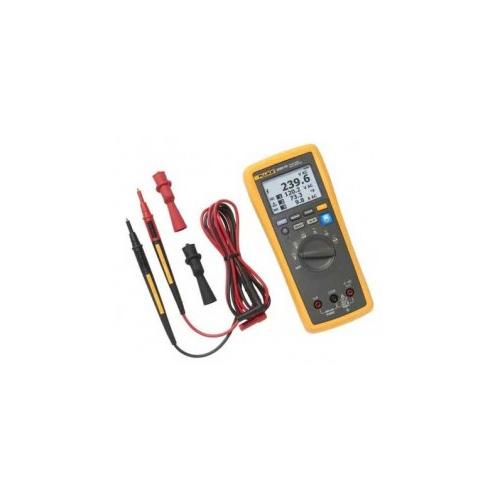
Fluke FLK-3000FC/AUTO Wireless Digital Multimeter with Automotive Kit
Brand:
Fluke
Part #:
FLK-3000FC/AUTO
Condition:  Brand New
Contact Us For Pricing
 Manufacturer warranty
Description
Features:
- Communicate with iOS (4s and later) and Android (4.3 and up) devices with the Fluke Connect mobile app
- Wireless technology allows connectivity between phone, PC, and all Fluke Connect enabled test tools
- Save money and time by taking multiple measurements simultaneously
- Isolate intermittent events or record signal fluctuations without even being there using the log function on the meters
- View results on computer with the PC Adapter
- Work with fewer interruptions by recording multiple sessions before downloading. Data is saved to a PC in .csv format for easy viewing at convenience
- Capture readings at different intervals, with user-set recording intervals from one second to one hour
- Send and communicate test data to manager and coworkers to assess abnormal system response in seconds
- Have all asset test results at fingertips after downloading to PC for future asset performance tracking and reliability programs
- No more writing data down. Capture up to 65,000 sets of min/max/avg readings over single or multiple logging sessions using the recording capability. Each reading and session is time stamped
- Avoid awkward or uncomfortable measurement positions. Set up the measurement once, step back and read it as many times as want, when want
- View up to 6 live readings at once on the Fluke Connect mobile app or a PC to get a complete understanding of the situation
- Easily see backlit displays in dark or dimly lit work environments
- Choose auto or manual ranging
The Connect system of test tools communicates with the Connect mobile app on Android or iOS smart device, allowing to share live measurements, monitor readings from safe distances, and get job done easier than ever before. The wireless digital multimeter functions as the mobile hub, displaying readings from up to three meter modules tools simultaneously from up to 20 meters away.
Technical details
Main features
- Weight 340g (12oz)
- Dimensions 4.75 x 9.3 x 20.7 cm (1.87 x 3.68 x 8.14")
- Power Supply 3 x "AA" Alkaline Batteries, NEDA 15A IEC LR6
- Accuracy 45 to 500 Hz: 1.0% + 3 500 Hz to 1 kHz: 2.0% + 3, 600.0 mV: 0.09% + 2 6.000, 60.00, 600.0 V: 0.09% + 2 1000 V: 0.15% + 2
- Range 600.0 mV 6.000 V 60.00 V 600.0 V 1000 V
- Resolution 0.1 mV 0.001 V 0.01 V 0.1 V 1 V
- Battery Life Minimum 250 hours
Reviews.
There are currently no reviews for this product. You can leave the first review and share your experience.