
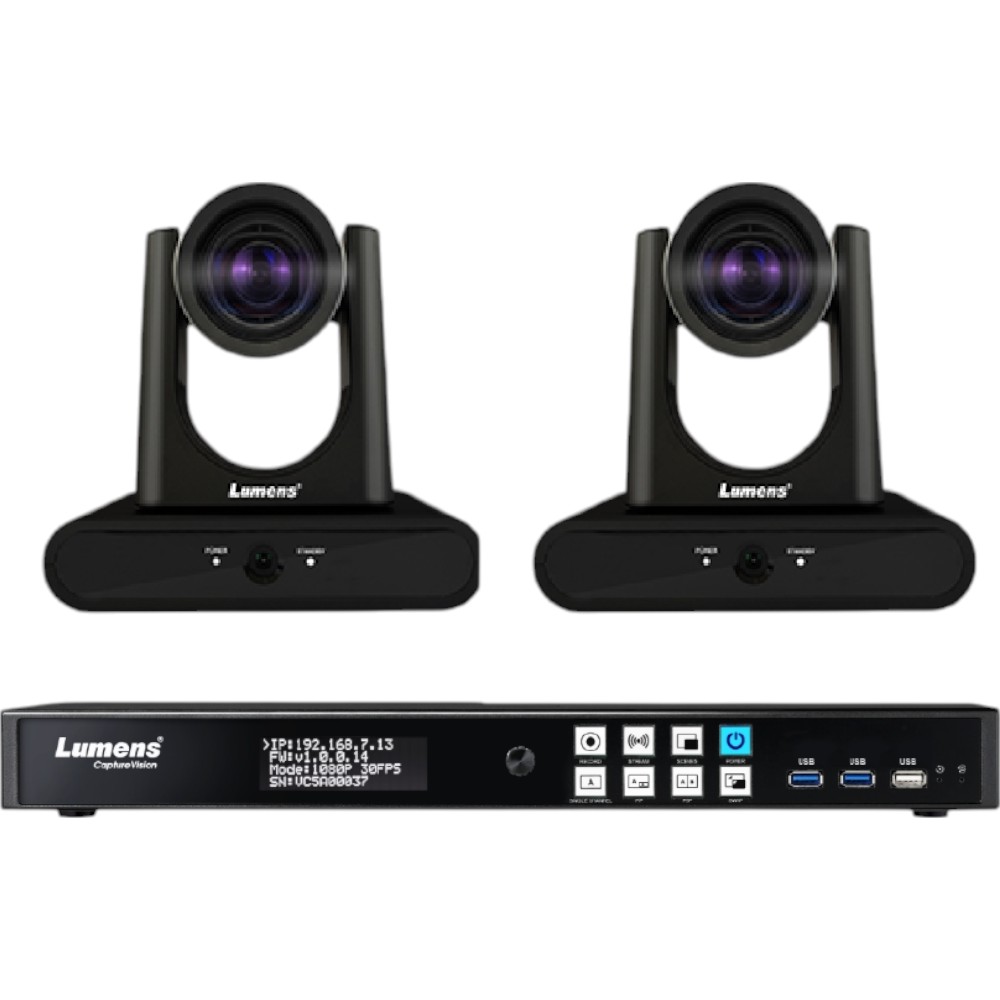
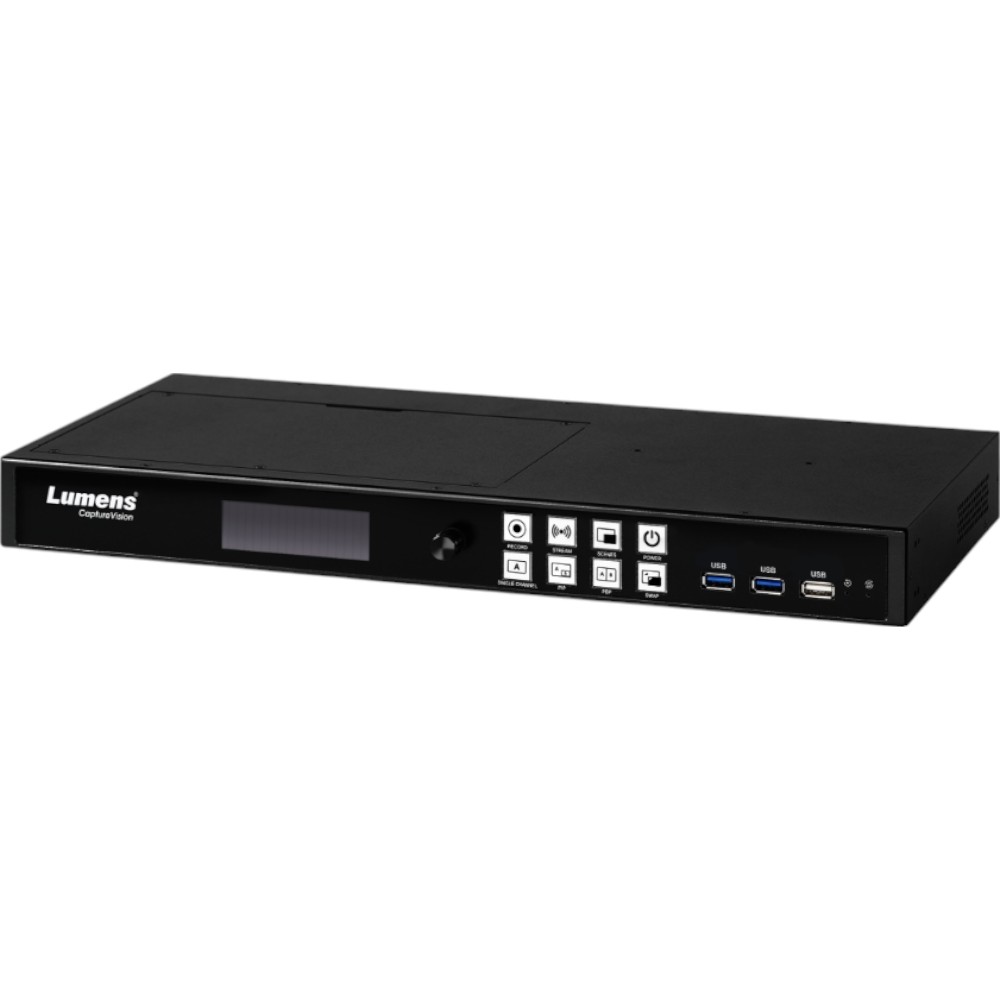

Lumens LC100BUNDLETR40PB LC100 2-Channel HD Processor Kit w/ Cameras
Brand:
Lumens
Part #:
LC100BUNDLETR40PB
Condition:  Brand New
 $5,879.00 /Kit
$7,065.00 You save $1,186.00 17%
 Manufacturer warranty
Description
Lumens, LC100BUNDLETR40PB, LC100 2-Channel HD Recorder and Streaming Media Processor Kit with 2x VC-TR40PB Cameras
LC100BUNDLETR40PB Includes Only:
- 2CH HD Recorder and Streaming Media Processor
- VC-TR40 Camera
Features of Processor:
- Onboard GUI Director: Live control is incorporated into the device. Connect an HDMI screen to the LC100 to access the intuitive GUI. Sessions can be produced live or scheduled in advance.
- Live Pre-defined Scenes for Switching: Build layout scenes that incorporate a variety of visual elements including split screen video, picture-in-picture, title/logo overlays, and background images. Activate and change layouts with the cli-ck of a mouse.
- Program & ISO Recording: The LC100 records the mixed program-out video and captures two video inputs with independent audio. This simplifies media archiving and post-production.
- Deployment Tool for remote central management: The Lumens deployment software enables control, management, and administration of multiple LC100 units on the network. Administrators can remotely monitor device status, saving time and reducing costs.
- Intermission Scene and Chapter Marker: Need a break time during the streaming session? Hit the coffee mark to display the break time page. At the same time, set a chapter mark to instantly jump to a particular scene during playback.
Features:
- Stage Tracking and Everywhere Tracking Mode: In Stage Tracking mode, the VC-TR40 will pan left and right to follow a presenter within a defined area. In the Everywhere Tracking mode, the camera will continuously track the presenter's movement left and right, forwards and backward.
- Partition Tracking Mode: When the presenter moves inside a user-defined Partition Area, the camera switches to a preset angle and zoom. When outside a Partition Area, the camera autonomously follows the presenter.
- Gesture Control Tracking Method: The VC-TR40 features advanced gesture control. When the presenter raises their hands, the tracking target will switch automatically. You can also manually change the tracked subject by selecting the individual via the web interface.
- Auto-Framing and Partition Framing Mode: With the Auto-framing function, the VC-TR40 will dynamically adjust to capture all delegates, re-framing the view if participants join or leave during the session. In Partition-Framing mode, the camera will go to a preset position when the presenter walks in. When the presenter walks out the area, the camera will go back to the Auto-Framing mode.
- Flexible Mounting: The VC-TR40 can be positioned upright or suspended from the ceiling installation. When inverted, the camera can re-orient the image and flip the camera controls.
Technical details
Main features
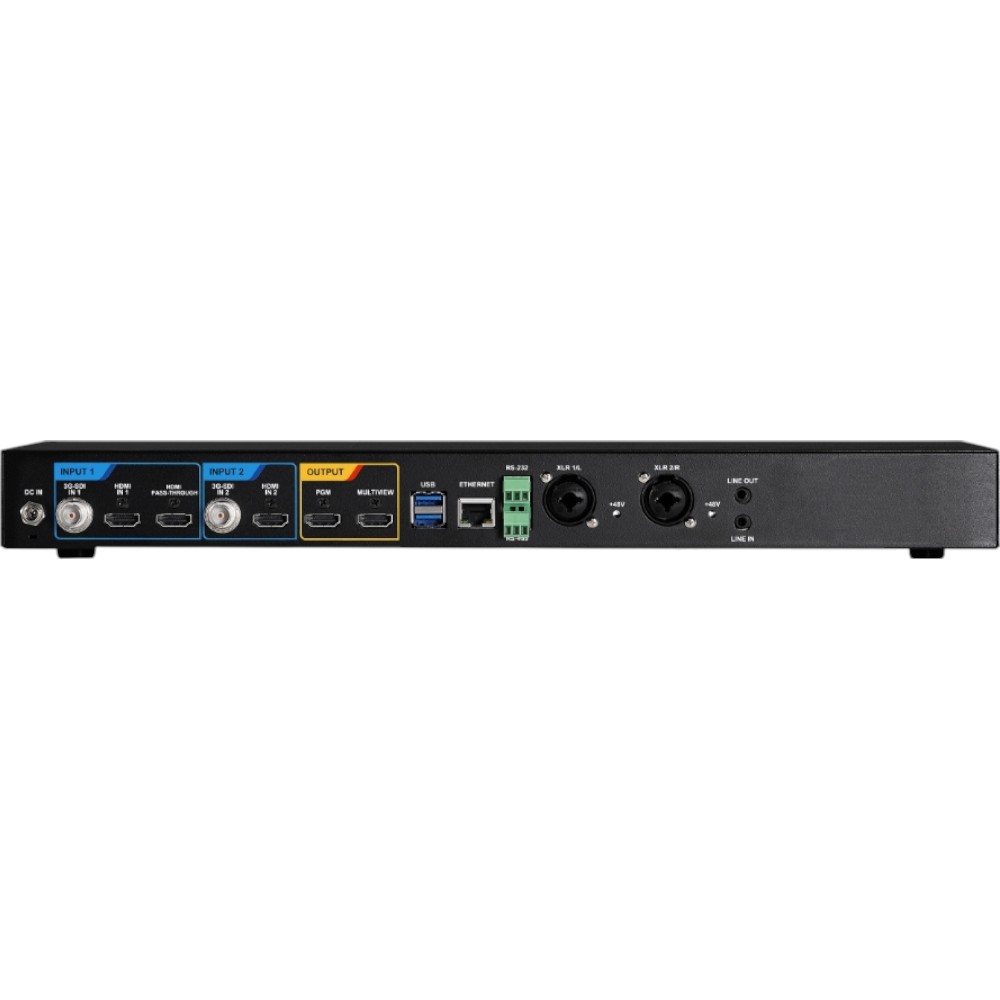
- Interface RS-232 / Ethernet / USB 3.0
- Weight 5.3 lbs (2.4 kg), 3.3lbs (1.5 kg)
- Frame Rate 30 / 60 fps, Max. 1080p 60/30 fps
- Digital Zoom 12x
- Audio Output Ethernet / USB 3.0 / HDMI
- Power Supply DC In, 12V / 3A
- Protocol VISCA / ONVIF
- POE Yes (IEEE802.3af)
- Optical Zoom 20X
- Package Includes 2x VC-TR40PB Cameras
- Power Consumption 30W, PoE 11W/DC In 10W
- Resolution 360p / 720p / 1080p
- Connection Female HDMI Type-A / 3G-SDI
- Minimum Illumination 1 lux (F1.6, 50IRE, 30fps)
- Shutter Speed 1 / 25 ~ 1 / 10,000 sec
- Internal Storage 2TB HDD
- Preset Positions 256
- External Storage 4* USB 3.0 Port
- USB 1* USB 2.0 Type A 4* USB 3.0 Type A Support USB Storage, USB Camera, USB Mic USB Mouse, Keyboard, HID Touch Display
- Dimension 7.5" x 7.3" x 5.4" / (190 x 185 x 138 mm)
- Panning Angle +170 ~ -170°
- Tilting Angle +90 ~ -30°
- Video Output (HD) Interface HDMI / Ethernet / USB 3.0
- Minimum Object Distance 500mm
- Video Compression H.264 / AVC 4:2:0 8bit color Encoding profile: High, Main, Baseline
- Audio Input Line In / MIC In
- Panning Speed 0.2 ~ 120° / sec
- Tilting Speed 0.2 ~ 80° / sec
- Audio Compression Format AAC / PCM
- DC In 12V + / - 20%
- Bitrate 200 kbps to 10 Mbps
- File Type H.264 and AAC in an MP4 container, JPEG
- Compression AAC-LC
- Ethernet host port 1* Female RJ-45 10/1001000 Base-T High / Full Duplex
- Auto Framing Everywhere / Partition
- Exposure Control Auto, manual
- WDR Yes
- Image Flip Yes
- Resolution Range HDMI Input 1: 720p~2160p 60fps Others: 720p~1080p 60fps
- IP Source / USB Camera Lumens IP PTZ / Box Camera RTSP Source (H.264 1080p 60/30fps) USB Camera (MJPEG 1080p 30fps)
- Scaled Resolution 1080p
- Serial Control RS-232 / RS-485 Port
- Streaming Protocol Pull: RTSP Push: RTMP / RTMPS / MPEG-TS / SRT TCP / UDP / HTTP DHCP Client
- Support IP Sources Lumens IP Camera / RTSP
- Scenes Switch Yes, preset for layout, background, and overlay
- Layout Switch Yes ( Single, PIP, and PBP)
- Background Switch Yes
- Overlay Yes, PNG overlay or system time overlay
- File Backup FTP / SFTP / NAS(CIFS/SMB, NFS) / WebDAV / Copy to USB Flash Drive
- Content Management Systems Panopto / OpenCast / Kaltura
- 3D NR Yes
- Auto Tracking Everywhere / Stage / Partition
- IP Stream PTZ Camera
- IP Compression H.264
- USB Output 1080p30
- USB Compression MJPEG
- IP Protocol HTTP / RTSP / RTMP / RTMPS / SRT
- UVC 1.1
- UAC Yes
- Dimension(WxHxD) Standard 1u rack 17" x 1.9" x 8.5" (432 x 49.4 x 218mm)
- Video S / N Ratio > 50dB
- Gesture Control Yes
- PTZ Camera Sensor 1 / 2.8" 2.16MP CMOS
- PTZ Camera Video Format 1080p: 60 / 50 / 30 / 25 720p: 60 / 50
- PTZ Camera Aperture F1.6 ~ F2.8
- PTZ Camera Focal Length 4.9mm ~ 94mm
- Panoramic Camera Sensor 1 / 2.8" 2MP CMOS
- Panoramic Camera Video Format 720p30
- Panoramic Camera Horizontal Viewing Angle 111°
- Panoramic Camera Vertical Viewing Angle 62°
- Panoramic Camera Aperture F2.4
- Panoramic Camera Focal Length 3.1mm
- Main 1080p60/Second 720p30/Panoramic Camera 720p30
- PTZ Camera Viewing Angle 58.7° (H) / 33° (V) / 67.3° (D)
- Number / Signal 3* H.264 / AVC Digital Video over Ethernet 2* HDMI Digital Video 1* HDMI Pass-through (Up to 4K), 2* HDMI 2* 3G-SDI, 1* Line In (Stereo Unbalanced Audio, 3.5mm Phone Jack) 2* Combo (XLR / TRS, Balanced Audio, Line in/ Mic in, Support +48V Phanton Power) IP Audio Source (RTSP, 16K/44.1K/48K) Support USB Audio (UAC), 1* Stereo, Unbalanced 3.5mm Phone Jack 2* Stereo, Digital De-embedded Audio from HDMI
Reviews.
There are currently no reviews for this product. You can leave the first review and share your experience.