

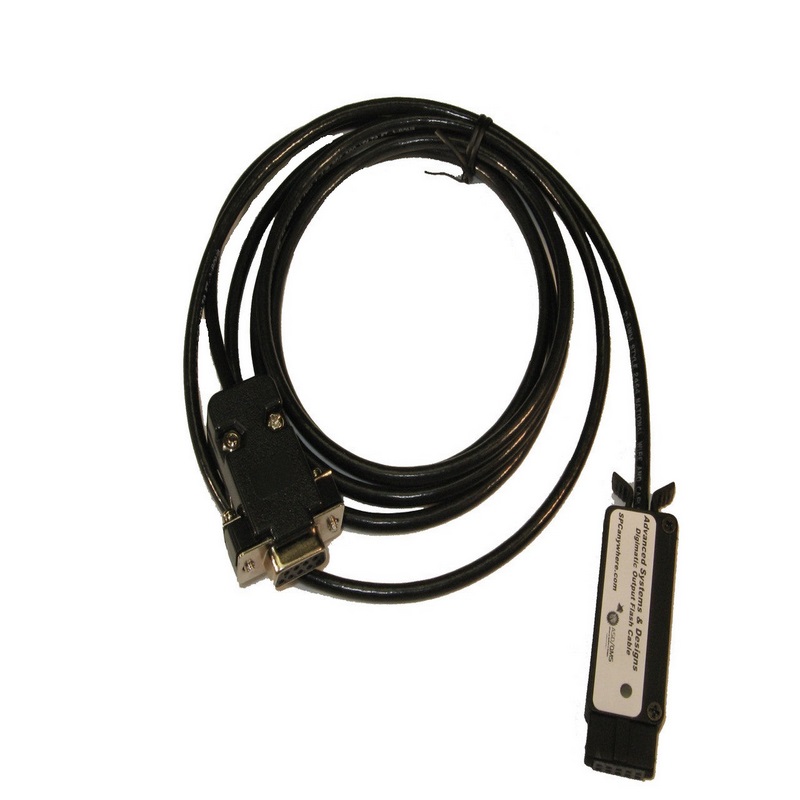
ASD/QMS 600-22-WALLACEH12-MTI FlashCable for Wallace IRHD H12 Micro
 Brand New
 Manufacturer warranty
Description
Advanced Systems & Designs, 600-22-WALLACEH12-MTI, Digimatic FlashCable for Wallace IRHD H12 Micro Hardness Tester
Features:
- Digimatic output FlashCable for Wallace IRHD H12 Micro Hardness Tester
- Sends data to GageMux or devices that recognize the Digimatic Signal
- Several options to trigger data
Send data to GageMux gage interface or other Digimatic input devices.This FlashCable gage interface is a engineered to change the output on the Wallace IRHD H12 Micro Hardness Tester to an output in a Digimatic format. The 9-pin female connector on the Advanced Systems & Designs FlashCable connects directly to the 9-Pin male connector on the Wallace IRHD H12 Micro Hardness Tester.
Designed to work with GageMux gage interface or similar devices that recognize the Mitutoyo Digimatic signal. The FlashCable does not obtain any power from the gage. When connected to the GageMux, pin 9 of the 10-pin input port provides the power to the FlashCable gage interface. If using devices, other than the GageMux, make sure pin 9 of the 10-pin connector provides a 5VDC supply to the FlashCable. When the FlashCable is connected to the GageMux, the LED on the FlashCable turns GREEN. This indicates that the FlashCable is connected properly. The LED turns RED when the data is being sent or a data request is triggered.
The data transfer can be triggered using any of the following methods:
- Using the data send button on the Wallace IRHD H12 Micro Hardness Tester (if it has one)
- Using 300-1S in-line handswitch
- Using a Footswitch on the FlashCable (not included)
- Using the Footswitch on the GageMux USB (or equivalent triggering method on similar devices)
- Sending a gage read command from the computer to the Wallace IRHD H12 Micro Hardness Tester
A detailed operation manual is included with this FlashCable gage interface. Advanced Systems & Designs normally sets the FlashCable to the default settings on the Wallace IRHD H12 Micro Hardness Tester. Make sure both the Wallace IRHD H12 Micro Hardness Tester and FlashCable gage interface are set to the same communication values. Refer to the Wallace IRHD H12 Micro Hardness Tester user manual for more information on external communication. Use the GageMux USB manual to see the reconfiguration instructions. Six foot standard cable length.
Reviews.
There are currently no reviews for this product. You can leave the first review and share your experience.