

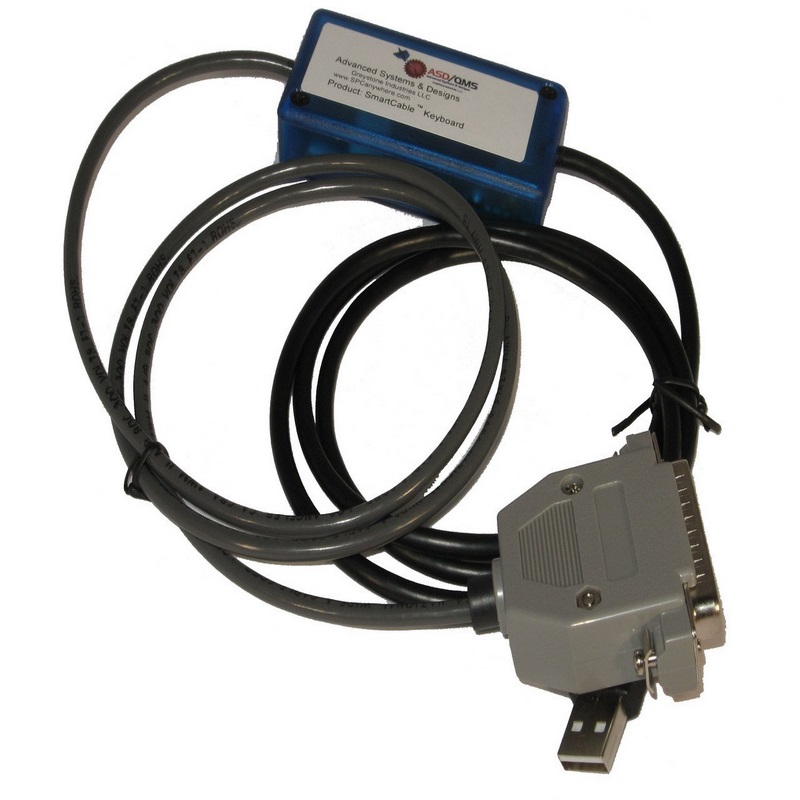
ASD/QMS 600-22-SARMASTERLA-KB-USB SmartCable Sartorius Master LA
 Brand New
Choose Type of Interface
 Manufacturer warranty
Description
Advanced Systems & Designs, 600-22-SARMASTERLA-KB-USB, Sartorius Master LA Series SmartCable Keyboard
Features:
- SmartCable Keyboard for Sartorius Master Series Indicator LA Models
- Sends data to Excel or other Explorer based SPC programs
- Multiple data triggering options
Send data directly to Excel - No Software Wedge Required.This Advanced Systems & Designs SmartCable USB Keyboard single gage interface connects the Sartorius Master Pro LA Series Indicator to a computer. Connects the Sartorius LA Series to the SmartCable Keyboard using a 25-pin male cable connector- no additional cables required. The output of the SmartCable Keyboard is a standard USB 2.0 keyboard signal.
Connecting the SmartCable Keyboard with its built-in keyboard wedge to a computer will allow the Sartorius Indicator to be identified as a keyboard device that can send data to any Microsoft Windows application - no software wedge required. The SmartCable Keyboard will make the Sartorius Master Pro Series Indicator readings appear as if they were typed in using a standard keyboard - eliminates data collection errors. If you want to collect data into a Microsoft Excel spreadsheet, simply select the cell where you want the data to appear.
Readings can be triggered by the following:
- Pressing the button on the SmartCable Keyboard gage interface
- Depressing a connected footswitch (not included)
- Using the PRINT key on the Sartorius Master LA Series Indicator
LED Indicator lights aid the user with the operation of the SmartCable.This SmartCable Keyboard is easily configured to output data in different output modes on your spreadsheet, such as CR, TAB, up, down, left, or right. The output mode is selected by adjusting the rotary switch on the SmartCable Keyboard. To access the rotary switch, simply remove the top cover by loosening two Phillips screws. A detailed operation manual is included with each SmartCable Keyboard.Six foot standard cable length.
Advanced Systems & Designs normally sets the SmartCable Keyboard to the default settings on the Sartorius Master Series Indicator. Make sure both the SmartCable and Sartorius Master LA Series Indicator are set to the same values. Refer to the Sartorius Master Series LA Indicator operating instructions for more information on external communication.
Technical details
- Type of Interface USB Keyboard Single Gage
Reviews.
There are currently no reviews for this product. You can leave the first review and share your experience.